Hi,
I have a flowmeter connected to wago pfc300, this one : https://www.burkert.com/en/Media/plm/DTS/DS/ds8020-standard-eu-en.pdf?id=DTS0000000000000001000011076ENAA
I think it is connected through digital input ?
And my question is : How can I read the digital inputs in CodeSys ?
I already added the inputs (analog & digital) :
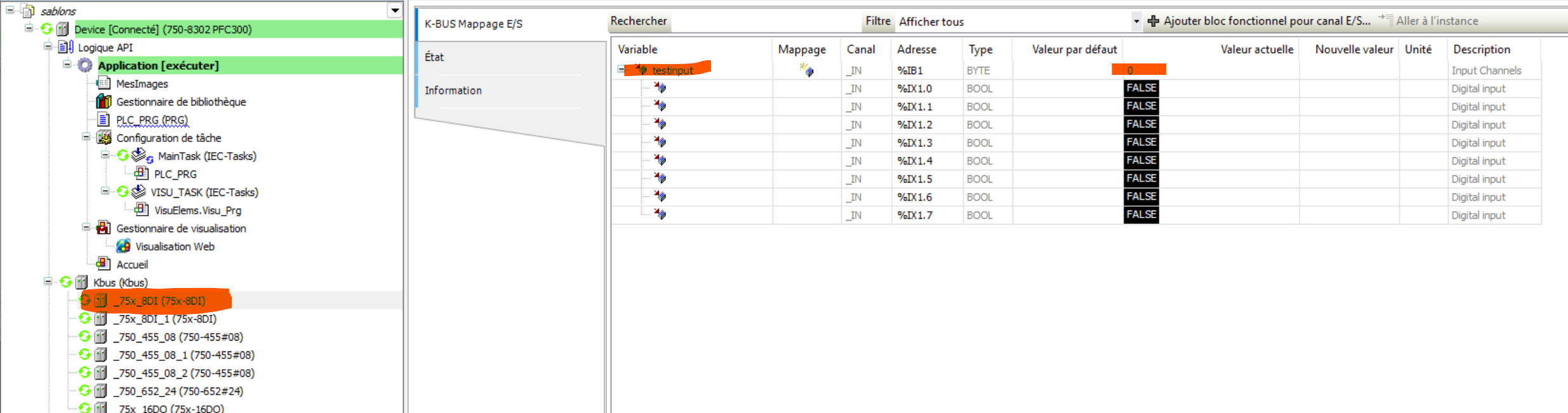
I mapped a variable in the first k-bus (75x_8DI) (I wonder DI is for digital input) but the value show 0. I tried the same in the second k-bus also.

Is the variable used in the PLC program ?
If not, by default, the variable won’t be refreshed if not used.
Do you want to detect pulse ? If so you have to make sure pulse are long enough to be detected by the digital input ( depending on input filter) and you’ll have to use a rising trigger (R_TRIG) to detect the input and increase a counter.
Hi,
What do you mean by “use” because I only declare the variable like testinput; in the programming section.
And yes I want to detect pulse
If it’s in the programming section then it’s enough.
So in your case you probably don’t see the pulse of the flowmeter between 2 “refresh” of CODESYS.
Try something like that
oR_TRIG : R_TRIG;
dwCounter : DWORD;
oR_TRIG(IN:=testinput.0);
IF oR_TRIG.Q THEN
dwCounter := dwCounter+1
END_IF
You’ll probably want to multiply by the pulse weight, specified in the datasheet (1 pulse = 50 L)
Make sure the pulse frequency fits the digital input specs.
Standards DI have a 3.0 ms input filter.
We also have DI with 0.2 ms input filter
If it’s not enough we have dedicated pulse counter inputs. (750-404 for instance)
I have this  :
:
How can I make sure that the digital inputs have the good specs ?
here is the spec of my digital input :
Name 75x-8DI
Fabricant : WAGO
Catégories :
Type : 32776
ID: 8801_075xDigital
Version: 2.0.0.13
Description : 8 DI Generic
075x-8DI
You need the part number (750-430 ?)
Sorry I don’t understand, the only communication devices I have, are these :
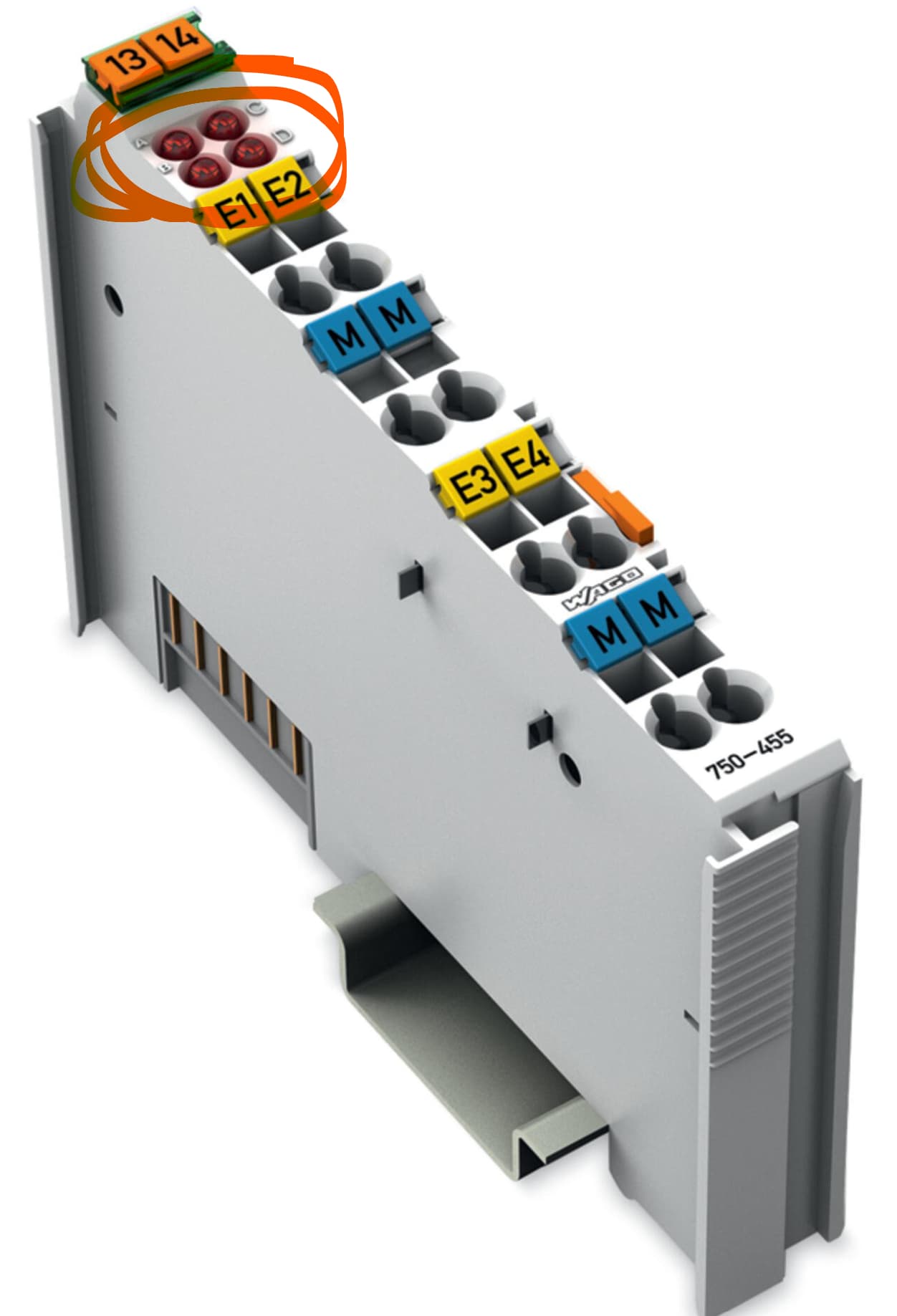
We checked on site, the flowmeters are connected to the module 750-455 (so analog inputs)

The 4 LEDs are ON. What can be the problem please ?
If the LEDs are on and the input readings are fixed at “3” (as shown in your previous screenshot) , that means you have a broken wire connection or your input signals are <4ma. Make sure your flow meters have power and are providing a 4-20mA signal. This module is not going to directly provide loop power for 2-wire devices.
Thank you, I will explore this path and give an update
Please be more specific about which flowmeter is used and on which channel of which I/O module it is connected. On your first question it was on a digital input and now you mention an analog module, it is confusing.
The system includes Bürkert Type 8020 flowmeters (generate pulses), a multiCELL 8619 display (displays flow values well on the screen), and WAGO modules. The 8020 flowmeters are connected to the module 750-455 (analog) at the addresses %IW10-13, but the problem is that the values are fixed at ‘3’ (signal < 4mA).
Hi,
a value of 3 and red LEDs mean there is a failure on the corresponding channel. This is mostly a broken wire/connection.
So, check
- the configuration of the multicell 8619, if the output is correctly configured
- the wiring between the multicell 8619 and the WAGO module
For the wiring check, check also if the planner has the connection correctly planned, as the multicell 8619 has to be connected like a 2-wire transmitter to the WAGO module.