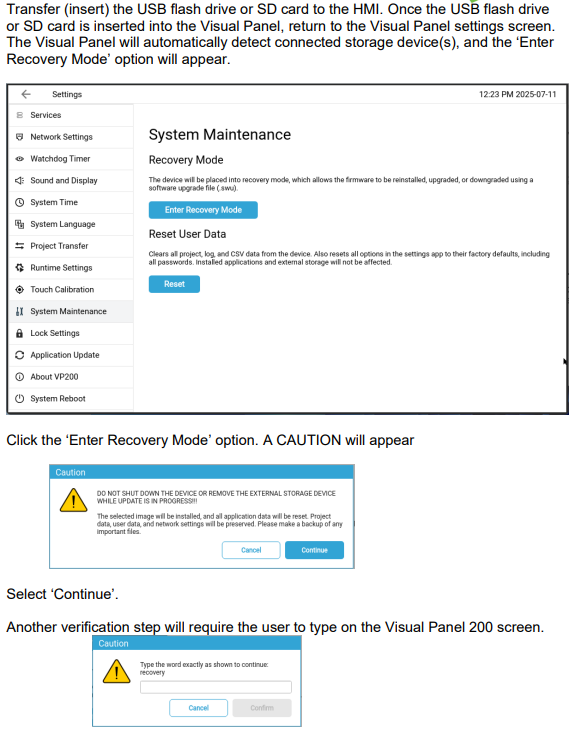
Updating FW on a VP200 Panel - Transfer using USB Flash / SD Card
Compatible with VP210/VP210WT, VP207, and VP204


VP200 Product Overview:
https://www.wago.com/us/touchpanel-200#overview
Visual Designer Software, Manuals, Data Sheets, CAD Downloads, etc.:
https://www.wago.com/us/f/touchpanel-200#service
FW Files
VP210: https://www.wago.com/us/d/16043626#accessories VP210WT:https://www.wago.com/us/d/16043675#accessories VP207:https://www.wago.com/us/d/16043604#accessories VP204:https://www.wago.com/us/d/16039887#accessories